Last Updated on February 12, 2026
For humidity and temperature reading the DHT22 sensor will be the perfect choice. It can read 0 to 100% humidity and 0 to 120°C temperature.
The humidity sensor DHT22 is an affordable and easy to use sensor. To use this sensor with arduino boards you need to have DHT library file, you can get here.
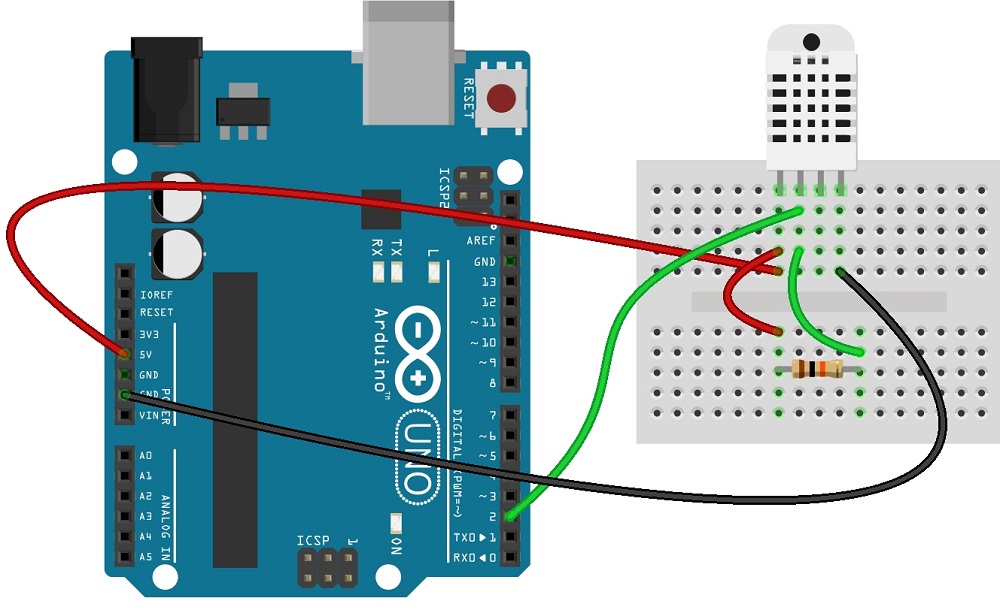
If you want to use Arduino nano board
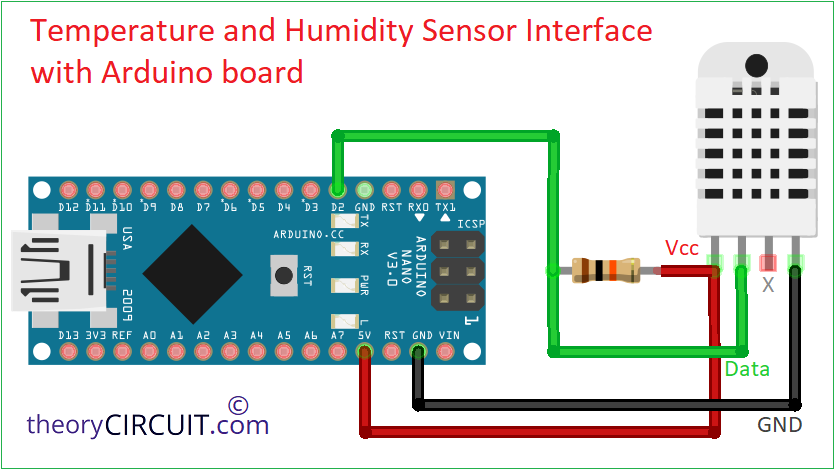
Like this any other Arduino boards may use same wiring.
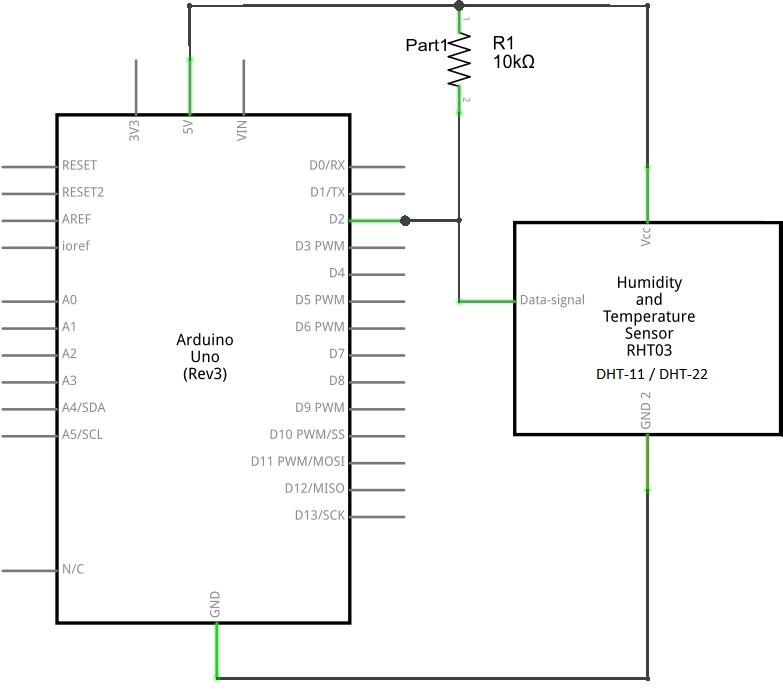
Circuit diagram
Components List
| S.No | Name | Quantity |
| 1. | Arduino uno or Arduino nano | 1 |
| 2. | Humidity sensor (DHT11/DHT22) | 1 |
| 3. | Resistor 10K Ω | 1 |
| 4. | connecting wires | as required |
On breadboard
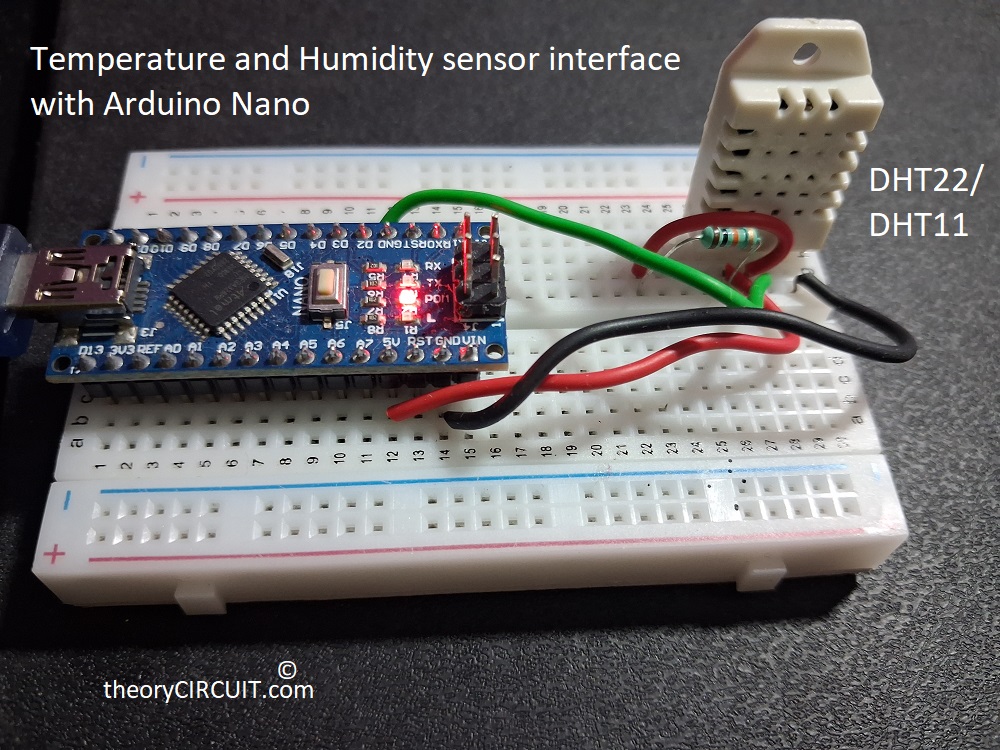
To wire up this sensor with arduino follow these steps, first connect bias to sensor that is +Vcc 5 volt to pin 1 and Ground GND to pin4. Then put external resistor 10K Ω between +Vcc and pin 2 for to get accurate value. Finally connect the pin 2 of sensor to any one digital pwm pin in arduino board here we connected in Digital pwm D2 pin. The sensor pin 3 need not to be connected anywhere.
Arduino Humidity (Temperature) Sensor sketch code
/*Code by theoryCIRCUIT - Do Not Remove this line*/
#include <DHT.h>

#define DHTPIN 2   // Pin connected to DHT sensor

// Uncomment whichever type you're using
//#define DHTTYPE DHT11
#define DHTTYPE DHT22
//#define DHTTYPE DHT21

DHT dht(DHTPIN, DHTTYPE);

void setup()
{
  Serial.begin(9600);
  Serial.println("DHTxx test!");
  dht.begin();
}

void loop()
{
  // Wait a few seconds between measurements
  delay(2000);

  // Read humidity
  float h = dht.readHumidity();

  // Read temperature in Celsius
  float t = dht.readTemperature();

  // Read temperature in Fahrenheit
  float f = dht.readTemperature(true);

  // Check if reading failed
  if (isnan(h) || isnan(t) || isnan(f))
  {
    Serial.println("Failed to read from DHT sensor!");
    return;
  }

  // Compute heat index
  float hif = dht.computeHeatIndex(f, h);
  float hic = dht.computeHeatIndex(t, h, false);

  Serial.print("Humidity: ");
  Serial.print(h);
  Serial.print(" %\t");

  Serial.print("Temperature: ");
  Serial.print(t);
  Serial.print(" *C ");
  Serial.print(f);
  Serial.print(" *F\t");

  Serial.print("Heat index: ");
  Serial.print(hic);
  Serial.print(" *C ");
  Serial.print(hif);
  Serial.println(" *F");
}
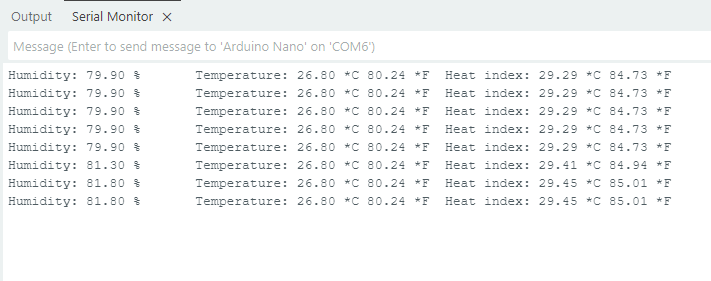
Use the following arduino code to print the humidity and temperature value in serial monitor of Arduino IDE. Using this sensor we can control many electronic peripherals.