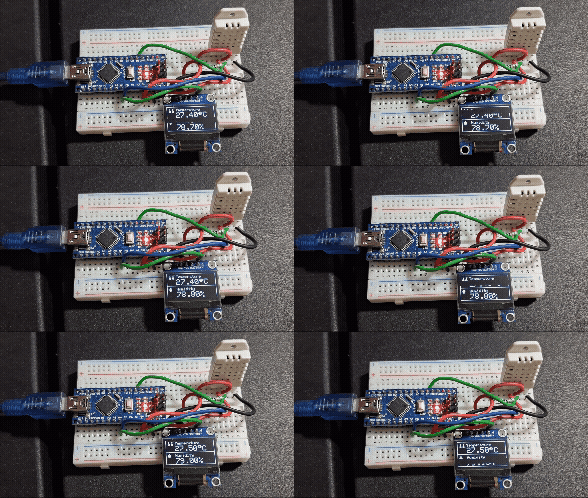
Last Updated on February 11, 2026
While working on environment monitoring projects, I always wanted a compact and reliable method to measure temperature and humidity because you know sensing room temperature accurately is a complex task, we have to monitor tiny changes periodically. DHT22 Digital Temperature and Humidity sensor do this job perfectly. Here I interfaced DHT22 and OLED display with Arduino nano board. It will gives output which can be displayed or used in indoor weather monitoring and IoT related projects. Here I used Arduino nano contains ATmega328 microcontroller to save space, you can use any other Arduino boards.
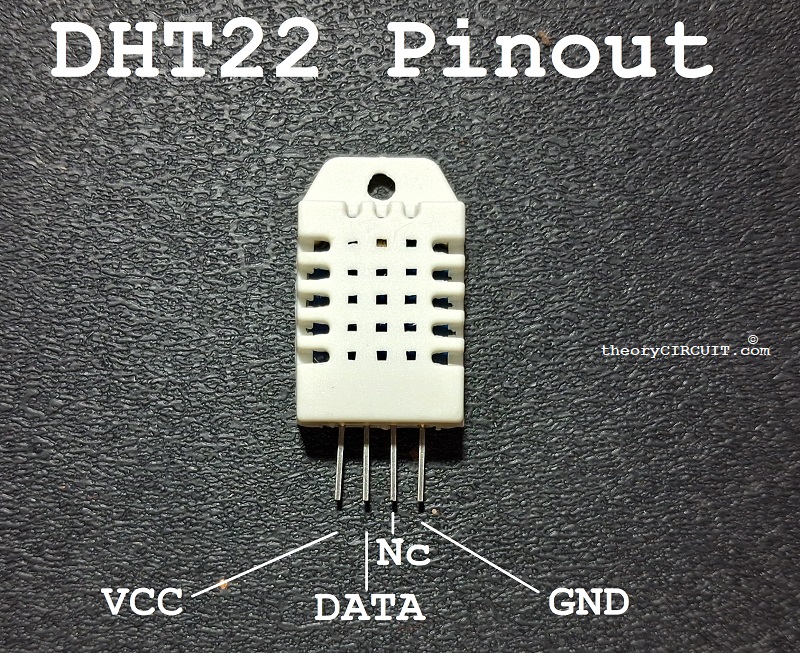
DHT22 Sensor
This DHT22 sensor is a digital Temperature & Humidity sensor, Internally contains Capacitive Humidity sensing element, Thermistor for Temperature measurement and built in signal conditioning IC to form single bus output signal. It can sense -40°C to 80°C temperature and 0-100% RH Humidity, operates with 3V to 6V DC bias.
OLED Display
OLED display used here is a 0.96″ 128 x 64 pixels I2C display which is driven by SSD1306 CMOS OLED Driver IC. It has only four pins that is two for bias VCC, GND and two I2C lines SDA, SCL. It operates with 5V DC supply and gives sharp pixel output.
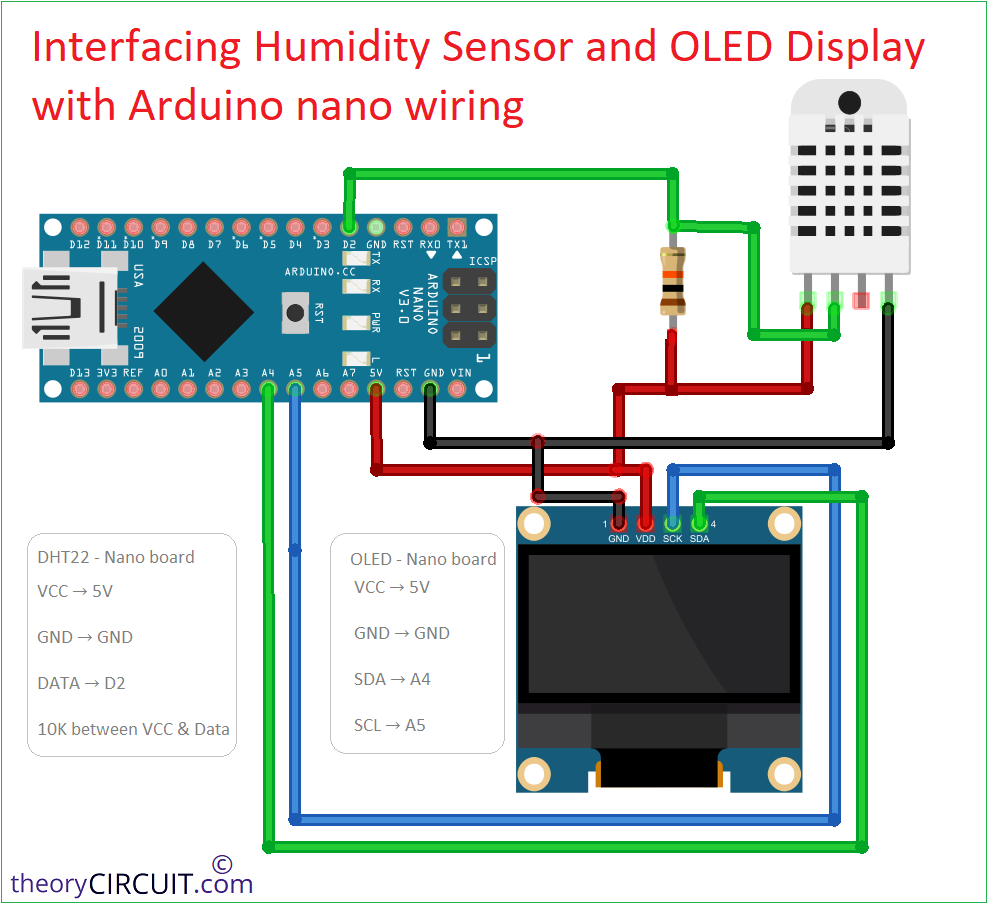
Wiring Diagram
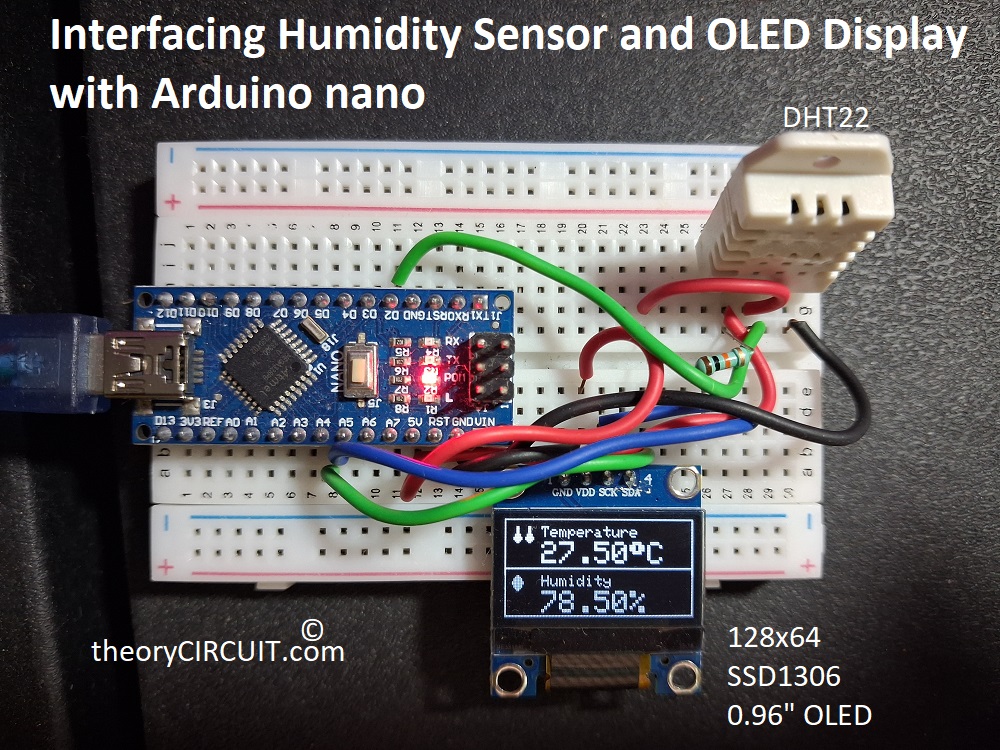
On Breadboard
Components Required
- Arduino Nano
- DHT22 Sensor
- SSD1306 OLED Display (128×64 I2C)
- 10KΩ Resistor (Pull-up)
- Breadboard
- Connecting Wires
Construction & Working
As shown in wiring diagram connect DHT22 sensor with Arduino nano board and use pull up Resistor between VCC and Data line then you can take output signal from Data pin of DHT22. So that 10KΩ Resistor stabilizes communication by keeping data line HIGH during idle condition.
OLED display have to be connected to I2C lines as shown in wiring diagram. After wiring check the Arduino IDE libraries, and install if the following not installed.
- DHT Sensor Library
- Adafruit GFX Library
- Adafruit SSD1306 Library
After that connect the setup with computer through USB cable and start to upload the following code (Select right port and board name before uploading code.)
#include <Wire.h>
#include <Adafruit_GFX.h>
#include <Adafruit_SSD1306.h>
#include <DHT.h>

/* OLED Settings */
#define SCREEN_WIDTH 128
#define SCREEN_HEIGHT 64
#define OLED_RESET -1
Adafruit_SSD1306 display(SCREEN_WIDTH, SCREEN_HEIGHT, &Wire, OLED_RESET);

/* DHT Settings */
#define DHTPIN 2
#define DHTTYPE DHT22
DHT dht(DHTPIN, DHTTYPE);

/* Temperature Icon */
const unsigned char temp_icon [] PROGMEM = {
  0x18, 0x18,
  0x18, 0x18,
  0x18, 0x18,
  0x18, 0x18,
  0x18, 0x18,
  0x3C, 0x3C,
  0x3C, 0x3C,
  0x7E, 0x7E,
  0x7E, 0x7E,
  0x3C, 0x3C,
  0x18, 0x18,
  0x00, 0x00
};

/* Humidity Icon */
const unsigned char hum_icon [] PROGMEM = {
  0x18, 0x00,
  0x3C, 0x00,
  0x7E, 0x00,
  0x7E, 0x00,
  0xFF, 0x00,
  0xFF, 0x00,
  0x7E, 0x00,
  0x7E, 0x00,
  0x3C, 0x00,
  0x18, 0x00
};

void setup()
{
  Serial.begin(9600);
  dht.begin();

  /* Initialize OLED */
  if(!display.begin(SSD1306_SWITCHCAPVCC, 0x3C))
  {
    Serial.println("OLED not found");
    while(1);
  }

  display.clearDisplay();
  display.setTextColor(WHITE);

  /* Startup Screen */
  display.setTextSize(1);
  display.setCursor(10, 5);
  display.print("theoryCIRCUIT");

  display.setTextSize(1);
  display.setCursor(25, 30);
  display.print("T&H sensor");

  display.setCursor(25, 45);
  display.print("Reading....");

  display.display();
  delay(3000);
}

void loop()
{
  float humidity = dht.readHumidity();
  float temperature = dht.readTemperature();

  if (isnan(humidity) || isnan(temperature))
  {
    Serial.println("DHT Read Error");
    return;
  }

  Serial.print("Temp: ");
  Serial.print(temperature);
  Serial.print(" °C  Humidity: ");
  Serial.print(humidity);
  Serial.println(" %");

  display.clearDisplay();
  display.drawRect(0, 0, 128, 64, WHITE);
  display.drawLine(0, 32, 128, 32, WHITE);

  display.drawBitmap(5, 5, temp_icon, 16, 12, WHITE);

  display.setTextSize(1);
  display.setCursor(25, 5);
  display.print("Temperature");

  display.setTextSize(2);
  display.setCursor(25, 15);
  display.print(temperature);
  display.write(247);
  display.print("C");

  display.drawBitmap(5, 37, hum_icon, 16, 10, WHITE);

  display.setTextSize(1);
  display.setCursor(25, 37);
  display.print("Humidity");

  display.setTextSize(2);
  display.setCursor(25, 47);
  display.print(humidity);
  display.print("%");

  display.display();

  delay(2000);
}
In this code sensor data reading done by using,
readHumidity()
readTemperature()
and checks reading errors using isnan() condition. This is important to detect error readings. Try changing number in
display.setTextSize(1);
to increase or reduce text size, to make it fit in your OLED display.